-- Watch More video tutorials --
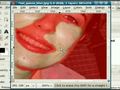
Skin airbrushing - GIMP and Selective Gaussian Blur A short lesson about photomanipulation: skin airbrushing with GIMP and Selective Gaussian Blur.
Gimp tutorial : icy or ice effects a tutorial on how to make icy effects for pictures.
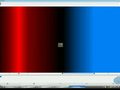
How to make a gradient in GIMP How to make gradients in GIMP.
Rating : 0.0/5 (0 votes)
License :
Would you like to comment?
Join skillmotion for a free account or log in if you are already a member.
Posted by : GimpKnowHow 60 vid. | RSS
Duration : 08:35 Added: 17 years ago Category: Gimp





 MySpace
 Facebook
 Digg
Digg Stumbleupon
 del.icio.us
 orkut
orkut Bebo
Bebo Spaces



 RSS
RSS