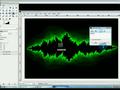
How to clean an image in Gimp.
View this video in high resolution

How to clean an image in Gimp.

How to clean an Image in Gimp.
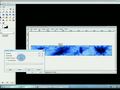
Useful for removing the blue lines on notebook paper, or removing dots from a scanned image.
Best used for when uploading to an art site, such as Deviant Art. No, I am not the best at drawing.
Subscribe, rate, and comment!
www.gimp.org
www.gimptv.tk

This movie SHOULD come out in HD.
Oh and by the way, I am sorry that this video wasn't auto pan. I forgot.

Rating : 0.0/5 (0 votes)

Add to Favourites
Change level
Share
Flag

Share :

MySpace Facebook Digg Stumbleupon
del.icio.us orkut Bebo Spaces

License :

No license (All rights reserved)
 
0 Comment

Would you like to comment?

Join skillmotion for a free account or log in if you are already a member.

Videos related :
How to make a Van Gough-Like background in GIMP
0 Ratings
4173 Views
Posted by :GimpKnowHow
 
De-emphasize the background with GIMP using blur
0 Ratings
8688 Views
Posted by :nicubunu
 
How to create Bubble Text in GIMP
0 Ratings
6756 Views
Posted by :GimpKnowHow
 
Realistic Graffiti on Brick / Wall Text in Gimp
0 Ratings
22609 Views
Posted by :GimpKnowHow
 
Visit my website:

Posted by : GimpKnowHow
60 vid. | RSS

Duration : 04:52
Added: 16 years ago
Category: Gimp

 
Embed this Video
Permalink